

Alright, gamers, modding is like that cheat code you never knew you needed. It’s the magic that takes your favorite game from “meh” to “whoa!”—whether you’re slapping on a new character, tweaking the AI to be ridiculously savage, or even building an entirely new world. But what does modding actually mean, and how do you get started? Buckle up, because we’re diving into the wonderful world of game mods, where the rules are yours to break.
Modding: What’s the Big Deal?
So, here’s the lowdown—modding is short for “modifying,” and it’s about tinkering with a game’s files to change or add stuff. This could be anything from custom skins to totally overhauling the mechanics of a game. And trust me, once you get into it, there’s no turning back. You’re no longer just a player; you’re part of the game’s universe. It’s like taking a car and upgrading it to a Ferrari. Sounds cool, right?
Why Modding is a Big Deal
- Customization: Want to make the game your own? Modding lets you customize everything. Change the graphics, alter the music, or even turn the characters into meme lords. The possibilities are endless.
- Replayability: You can completely reshape the game, making it feel fresh and exciting again.
- Community: Modding opens up doors to a community of like-minded gamers, modders, and developers who share your passion.
- Challenge: Some mods add extra difficulty or challenges—perfect for those who have conquered every inch of a game.
How to Get Started with Modding
Getting into modding doesn’t have to be rocket science. Sure, it might sound like you need to be some coding wizard, but trust me, you don’t. Here’s how you can jump in and start modifying your game without breaking a sweat.
Step 1: Know Your Game
Before you go all “mod the world,” you need to know the game you want to mod inside and out. Some games are mod-friendly right out of the box—looking at you, Minecraft and Skyrim—while others might require a bit more work to crack open. Make sure to check if the game supports mods, and whether they’re even allowed (because some devs are a bit picky about it).
Step 2: Find Mods and Mods Tools
The internet is full of resources, and here’s where the fun begins. Websites like Nexus Mods, ModDB, and Steam Workshop are gold mines for downloadable mods. You can find everything from small tweaks to massive overhauls.
Here’s a pro tip: Always read the instructions and make sure you’re downloading mods from trusted sites. You don’t want some shady files wrecking your game or worse, your PC.
Step 3: Back Up Your Files (Trust Me)
Before you start slapping mods onto your game like it’s Christmas morning, back up your files. Trust me on this one. Sometimes, things go sideways, and the last thing you want is to lose your progress or corrupt the game. It’s always better to be safe than sorry.
Step 4: Install the Mods (It’s Simpler Than You Think)
The process for installing mods can vary, but it usually involves copying files to a specific folder in your game’s directory. Some mods come with an installer that makes life a whole lot easier. Others might require a mod manager—basically, a tool that keeps your mods in check and ensures everything runs smoothly.
Here’s an example of installing a mod for Skyrim:
- Download the mod from a trusted site like Nexus Mods.
- Use the Skyrim Mod Manager (like Vortex) to install and activate the mod.
- Enjoy your new game-changing feature!
If you’re unsure, the mod’s page will usually have a detailed guide. Don’t skip reading that, or you might end up with a broken game and a very confused face.
Step 5: Test and Tweak
Alright, now comes the fun part: playing with your new mods. After you install them, fire up your game and see how it feels. If you’re like me, you’ll end up tweaking things, testing out different mods, and seeing what works best for you. Don’t be afraid to experiment—it’s all about finding the right mix for your game. Did you like the article? Read also about The Most Cloned Video Games.
What Kinds of Mods Are Out There?
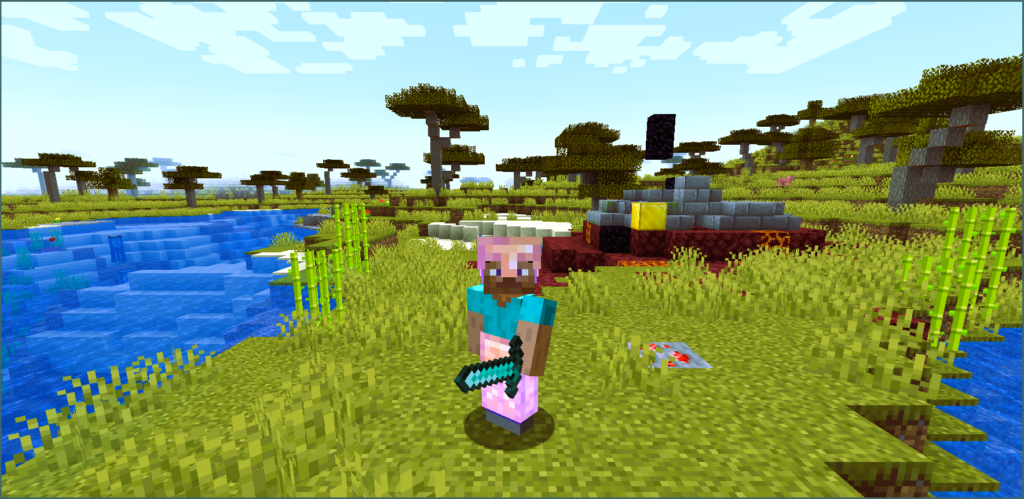
Okay, so now that you know how to mod, you’re probably wondering, “What can I actually do to my game?” Well, let’s break it down.
1. Visual Mods
- Texture Packs: High-res textures for better graphics.
- Shaders: Tweaks the lighting, shadows, and overall look of the game.
- Character Skins: Change how characters look—maybe turn them into your favorite anime character or give them a whole new outfit.
2. Gameplay Mods
- New Weapons or Gear: More guns, swords, or any type of equipment.
- AI Changes: Make enemies smarter or allies more useful.
- Balance Mods: Change difficulty, add new challenges, or rebalance the game for a fresh experience.
3. Sound Mods
- Custom Soundtracks: Replace the music with your favorite jams.
- Voiceovers: Add new voice acting or replace the original voices with funny ones.
4. Custom Servers (For Multiplayer Modding)
- If you’re into running multiplayer servers, modding can let you tweak rules, add new game modes, or create completely new experiences for you and your friends. Think of it as creating a new version of your favorite game that only you and your crew play.
5. Esports Mods
- Some mods are built for competitive gaming—low-latency mods or performance tweaks that give you an edge. Esports players know the importance of a smooth, lag-free experience, so mods that reduce latency or optimize graphics are a must-have.
Modding for the Tech Geeks: Hosting and Flexibility
If you’re into the tech side of things, modding gives you the ultimate flexibility. You can host custom game servers, experiment with private multiplayer matches, or even make your own game entirely. For those who love to tweak things under the hood, it’s a chance to get down and dirty with server configurations, mods that boost performance, and hosting solutions that keep your games running smoothly.
Mods and Game Performance: The Balancing Act
Mods are fun, but they can also impact your game’s performance. If you’re running a ton of mods, it might cause some slowdowns. So, keep an eye on your system specs and balance your mods accordingly. No one likes lag—especially when you’re in the middle of a boss fight or trying to get that clutch kill.
Don’t Forget to Have Fun!
In the end, modding is all about having fun and pushing the boundaries of what a game can do. Whether you’re tweaking your favorite single-player experience, testing out multiplayer mods, or just adding some flair with custom skins, it’s all about enhancing your gaming experience and making something that’s uniquely yours.
So, what are you waiting for? Start modding and let your creativity run wild!
For a deeper dive into modding, check out this Wikipedia page on Modding.