

Alright, strap in—if you’ve ever wondered how the heck online games work, you’ve come to the right place. Whether you’re a gamer trying to figure out why your ping’s a mess, a dev trying to test your passion project, an esports pro needing to avoid any lag during your epic clutch moments, or a streamer who would literally rather quit than drop frames on stream, this one’s for you.
We’re going to break it all down—how servers, networking, and connections work behind the scenes in online games. Don’t worry, I’ll keep it simple, real, and straight-up understandable. No tech jargon that sounds like a whole new language. Let’s dive in.
1. Servers Are the Backbone: The Game’s Heartbeat
Okay, first things first: servers. If you’ve played online games, you’ve probably heard this word tossed around like it’s no big deal, but without servers, online gaming would be like trying to play basketball without a ball. Servers are the hub—the center of everything.
So what does a server do? It’s basically the place where all the game data is stored and managed. When you connect to an online game, you’re actually connecting to a server. Think of it like this: You and your friends are playing a game, but instead of all of you trying to sync up on one console or PC, you’re all dialing into a big, powerful computer that acts as a middleman for your game.
Servers handle a ton of things:
- Player data: Where your progress, stats, and inventory are stored.
- Game state: Keeps the world in sync—what’s happening in the game right now.
- Matchmaking: Gets you into the right game with players at your level.
Without a server? The game would just be a mess of disconnected, chaotic pieces, and you wouldn’t be able to do multiplayer.
Quick Note: Servers are usually located in data centers spread across the globe. The closer the server is to you, the lower your ping (which we’ll get into later).
2. Networking Magic: How Your Console or PC Talks to the Server
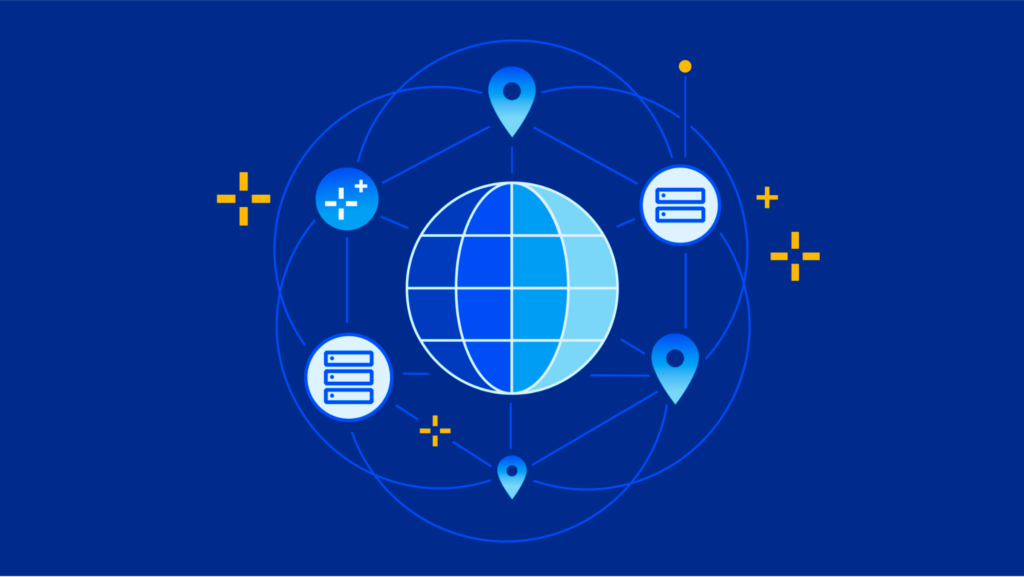
Now, let’s talk networking—the unsung hero of online gaming. If you’ve ever had lag, connection issues, or stuttery gameplay, this is the culprit.
So here’s how it works: When you play online, your console, PC, or mobile device sends and receives information to and from a server over the internet. This process happens incredibly fast, but sometimes, when things aren’t optimized, you get things like lag (or worse—lag spikes).
Types of Connections:
- Peer-to-Peer (P2P): In some games, players connect directly to each other, without a server in the middle. Games like Fortnite or Call of Duty use this method for small, fast-paced matches. This is where things can get weird if someone’s connection is bad—one bad link, and the whole game can suffer.
- Client-Server: Most big multiplayer games (think League of Legends, World of Warcraft, Apex Legends) rely on a central server. Your device (the client) sends its input to the server, and the server sends back the game state, keeping everyone in sync. This setup is a bit more reliable but still dependent on good server health.
How Data Travels:
When you press a button in your game, your computer or console sends data to the server—“Hey, I just jumped!” The server then processes that and sends back data to everyone else’s devices, saying, “Alright, Player 1 just jumped, here’s the updated game world for everyone.” This happens in microseconds, so the delay is usually so tiny that you don’t notice it—unless something goes wrong. Read more about why Easter eggs are important in video games and how to find them in this article.
3. Ping: The Silent Enemy of Smooth Gameplay
Alright, now let’s talk about ping. If you’re a hardcore gamer, this is the stat you care about more than your KD ratio. Ping is essentially the amount of time it takes for your device to send a signal to the server and get a response. It’s measured in milliseconds (ms), and lower ping means smoother gameplay.
Ping Range:
- < 20ms: This is like flying through the game. No delay at all.
- 20-50ms: Still solid. You’re good to go.
- 50-100ms: Noticeable but manageable. You might get some slight lag in fast-paced shooters.
- > 100ms: Oof, now you’re starting to feel it. Anything above 100ms can lead to lag, delayed reactions, and straight-up frustration.
So, what affects your ping? A lot of things, but here are the main suspects:
- Server location: The farther the server, the longer your ping. So if you’re in the US and playing on a server in Europe, expect some lag.
- Internet connection: Wi-Fi is cool for browsing, but if you’re trying to frag out in Counter-Strike or build in Minecraft, you need that wired Ethernet connection for the lowest ping.
- Server performance: If the server’s overloaded or struggling, it’s gonna drag down your performance too.
Pro tip: Use ping testers online (like Ping Test) to find the best servers near you.
4. Lag: What It Is and How to Handle It
Here’s the big one: lag. We’ve all been there, right? You’re in the middle of a firefight, and then bam—your character freezes for a few seconds, only to unfreeze in a pile of bullets. That’s lag, baby.
Common Lag Types:
- Input lag: The time it takes for your action (button press) to show up in the game. This is often on your end (bad connection or old controller).
- Server lag: Happens when the server is slow to process data. Usually not your fault, but it sucks when it happens during those big boss fights.
- Connection lag: Happens when your internet connection is just too slow or unstable. Wi-Fi can be a big culprit here, especially if you’ve got a ton of other devices using the same network.
Quick Fixes:
- Switch to a wired connection if you’re using Wi-Fi. You’ll thank me later.
- Close other apps or devices using the internet. No one wants to fight lag with Netflix streaming in the background.
- Check your server region in the game settings. Pick one that’s closer to you for the best performance.
5. The Role of Hosting in Multiplayer Games
For developers, modders, and game enthusiasts looking to set up their own multiplayer servers, hosting becomes the next big challenge. There are two main ways to go:
- Dedicated hosting: This is when you pay for a private server for your game. It’s more expensive but gives you complete control over the environment. Plus, you can tweak it to optimize for the best player experience.
- Shared hosting: This is cheaper but means your server is sharing resources with other games and websites. It can be great for smaller games or testing purposes but might lead to slowdowns if the server gets overloaded.
Server Hosting Tips:
| Hosting Type | Pros | Cons |
|---|---|---|
| Dedicated | Full control, no lag, high performance | Expensive, requires technical know-how |
| Shared | Cheaper, easy to set up | Less control, possible lag spikes |
Streamers, you know that latency between your game and your stream can mess with the viewer experience. Reduce the delay using low-latency modes or services like Twitch’s low-latency option.
So, there you have it, my friend. Now you know the essentials of how online games work—servers, networking, ping, and how to keep your gameplay buttery smooth. The next time you’re fragging in Fortnite or going full build mode in Minecraft, you’ll understand what’s going on behind the scenes. Remember: good networking is the key to avoiding lag, and a solid server setup is your ticket to a smooth gaming experience.
Want to dive deeper? Check out Wikipedia’s explanation of Game Networking to get into the nitty-gritty.
Now go out there and game like a pro—and may your ping always be low.